Email marketing
Your next email starts with your brand
Choose a template, edit it and reach customers who opted in to your email campaigns.
14‑day free trial on Shopify and a 30‑day money‑back guarantee.


- More than 200 templates
- Your store’s brand from the start
- Separate email consent
From a template to your store’s email
See the campaign editor in action. Adjust blocks, copy and products while keeping your store’s identity.
- 1
Choose your groups
Decide who you want to reach. Email consent determines who can receive the campaign.
- 2
Prepare your message
Open a template, adjust the content in the editor and check the subject and preview text.
- 3
Review before sending
Check the message, recipients and time. Then send or schedule.

More than 200 templates with your store’s brand
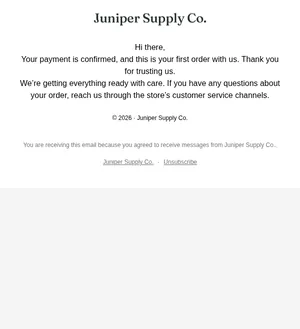
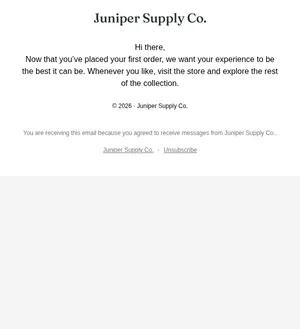
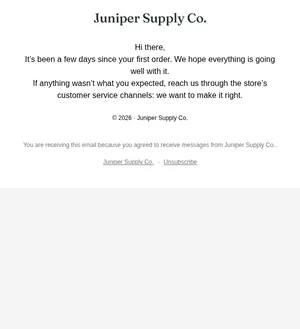
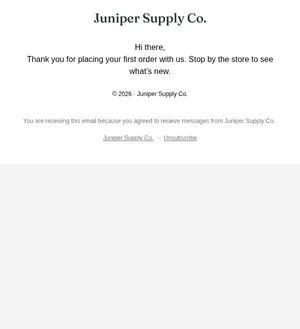
Welcome messages, new arrivals, post-purchase updates and special dates. Templates arrive with your store’s brand and products; you adjust the content in the editor.
A selection of welcome templates, using the sample store’s details.


Being in a group does not always mean being eligible
Campaigns only go to people who opted in to email. The count separates eligible recipients from those excluded: no consent, unsubscribed or a blocked address. WhatsApp consent does not replace email consent.
1,240 customers in the audience right now; 1,180 can receive email marketing.
60 won't receive it: 37 without email marketing consent and 23 without an email address.The audience locks at send time: anyone who joins the groups before then also receives it.In the review, people waiting for the sending window or the interval between messages appear separately from those excluded. The audience is finalized at send time.
Questions about email marketing
- Do I have to build every email from scratch?
- No. Start with one of more than 200 templates carrying your store’s brand, then adjust text, images and products in the editor.
- Can I send a campaign to my entire customer base?
- You can choose the groups for a campaign, but sending requires email consent. People who unsubscribed, did not opt in or have a blocked address are excluded. The count shows this difference before sending.
- Does WhatsApp consent cover email?
- No. Each channel has its own consent. Joining a group or leaving contact details at your store does not, on its own, authorize an email campaign.
- Can I schedule a campaign?
- Yes. Choose the date and time and check your store’s time zone in the review. The sending window and interval between messages still apply to each recipient.
Connect your store today
Start from what's ready and fine-tune at your pace.
14‑day free trial on Shopify and a 30‑day money‑back guarantee.